How to Delete Your Account on AntfluenS
Cancelling your subscription or deleting your account on AntfluenS is a straightforward process. Here’s a step-by-step guide on how you can delete your account.
-
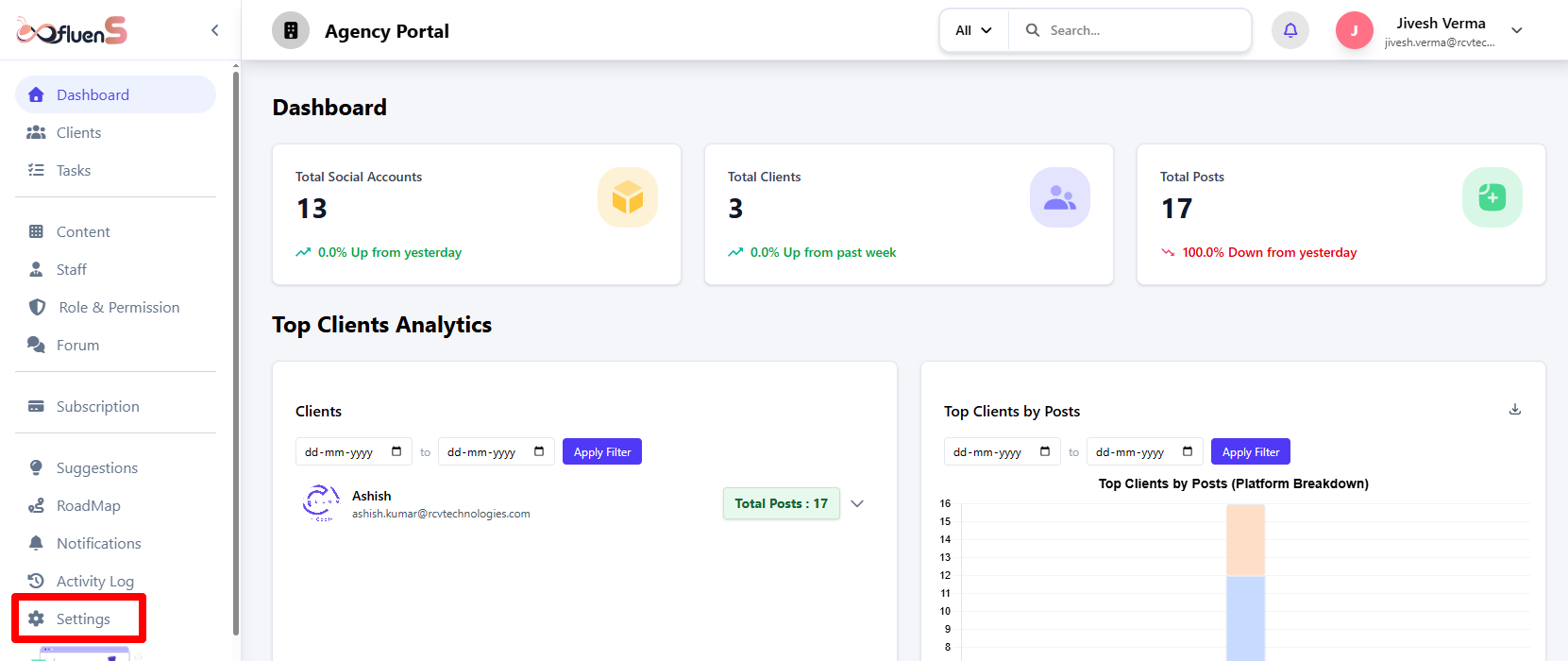
Navigate to Settings: When you log in to your profile, go to "Settings" in the left panel.
-
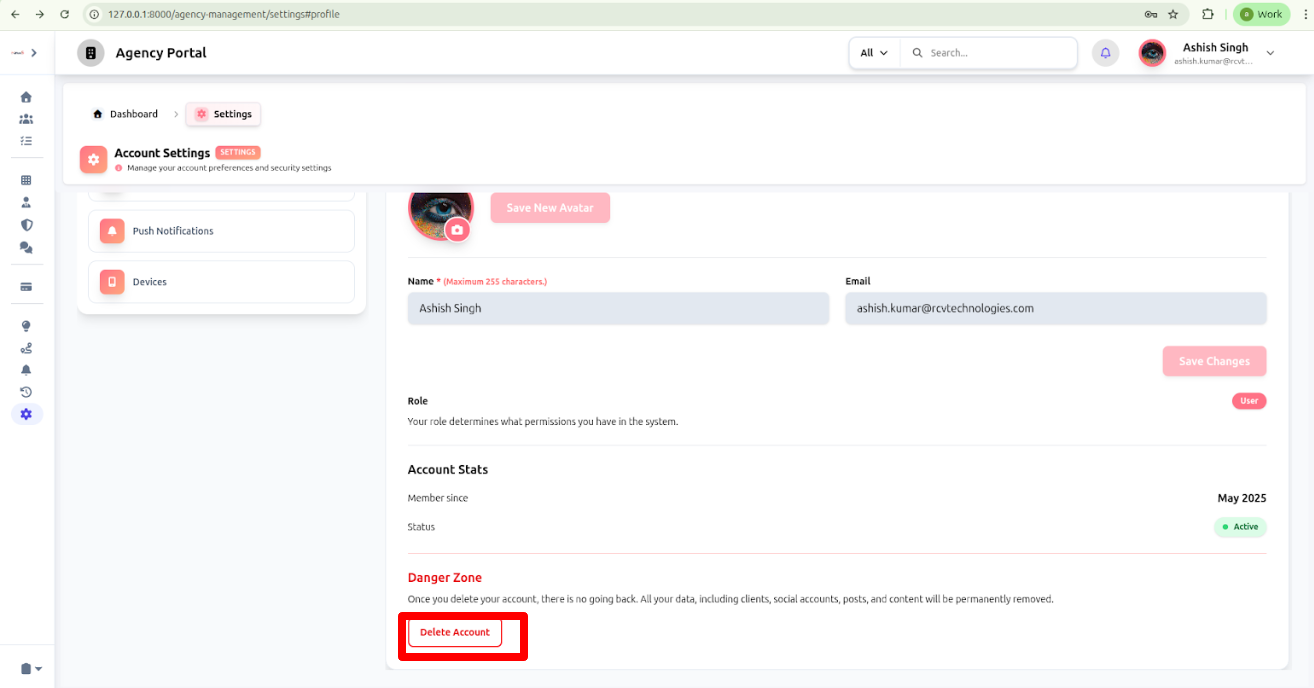
Find Delete Account: Under the profile section, scroll to the bottom, where you will see "Delete Account."
-
Confirm deletion: A pop-up will appear asking you to confirm. Select the reason and add feedback (optional), tick the checkbox, enter your password, and click "Delete My Account."
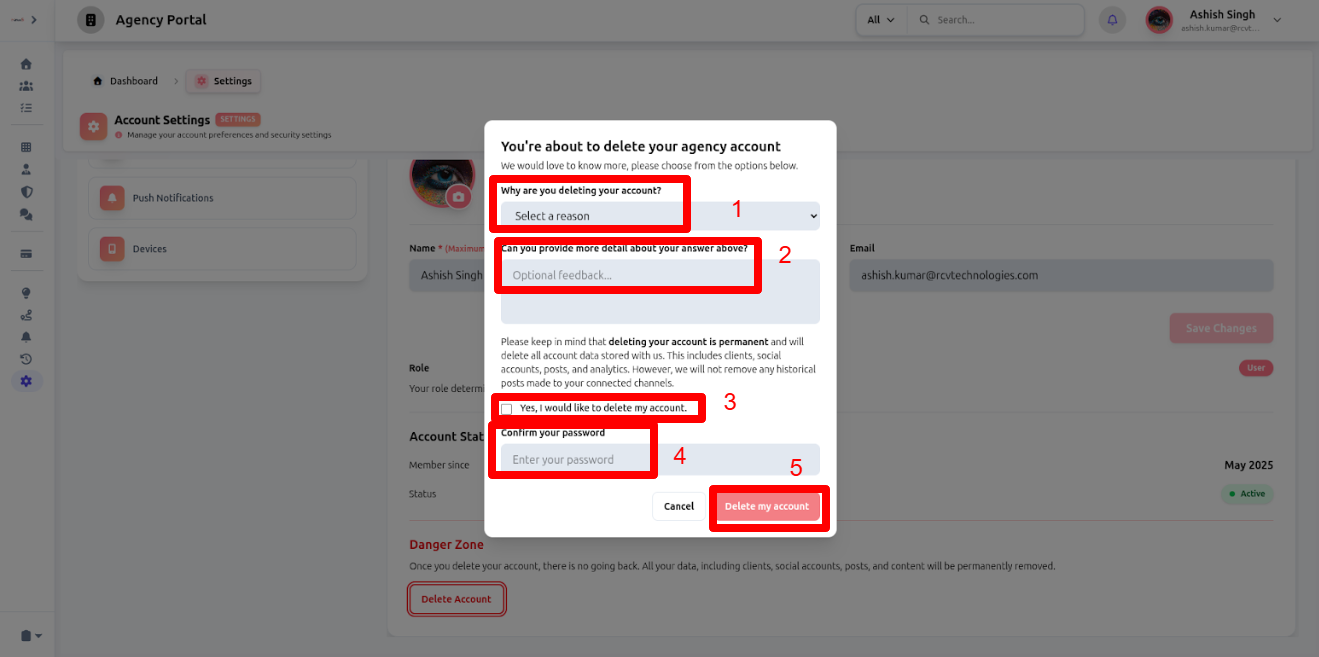
Your account deletion request will be submitted and processed shortly.
This is the complete guide for how you can delete or cancel your subscription on AntfluenS using this sequential process.